
Discipline: Homeland Security

PUSH

  • April 27th, 2015
  • in

About

The Portal to Uphold a Secure Homeland (PUSH) was developed as a stem of the USDHS supported ITEP project. Its purpose is to provide private sector security supervisors with the same reporting capability that law enforcement field officers have. This separate web site was outside of the original Secure Homeland Access and Reporting Environment (SHARE) design. It become apparent that private security personnel generally have more chances of observing suspicious activity than police officers because:

  • terrorists generally identify and avoid police officers
  • the destructive intent of terrorists often involves critical infrastructure

Thus, a separate web site was created that is independent of AlaCOP and SHARE. This web portal contains information updated daily that is relevant to private security personnel (e.g., DHS Daily Infrastructure Reports). More importantly, it calls the same Suspicious Activity Report (SAR) module that AlaCOP calls, enabling private security supervisory personnel the same reporting capability that law enforcement field officers have.

PUSH Homepage
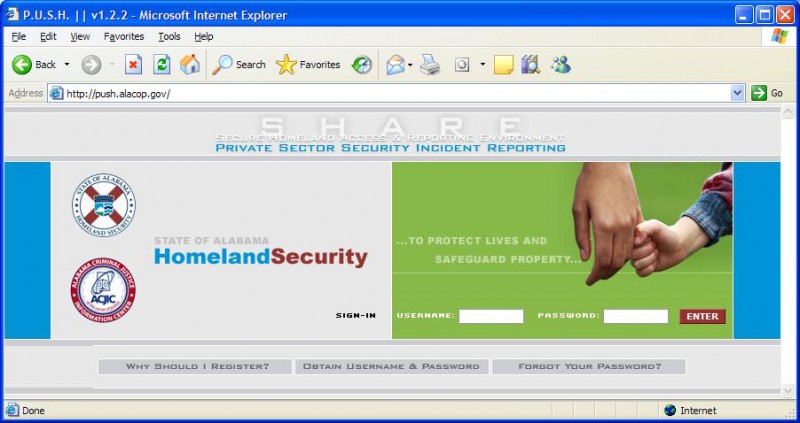
PUSH has a separate logon from SHARE since it is accessed directly by private security supervisors. However, Fusion Cell members can access PUSH directly from SHARE without logging on.

Logon Page Functionality

  • Why Should I Register? This provides the inquiring private security individual information on PUSH and its benefits.
  • Obtain username and Password
  • Forgot Your Password?

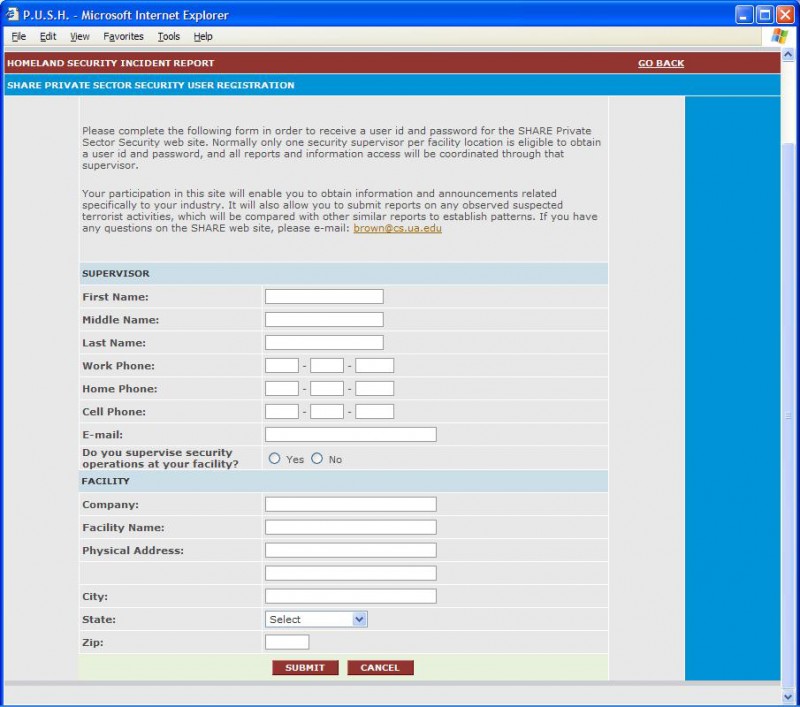
The “Obtain username and password” function and the “forgot your password” function are handled by a simple registration screen, pictured below. All applicants to PUSH are vetted through the FBI.
PUSH Functionality

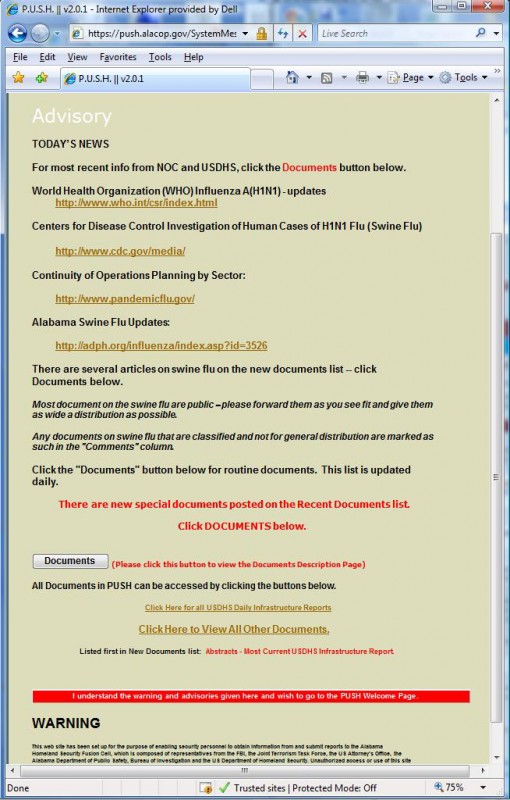
When PUSH is invoked the “Warning and Advisory” Screen, pictured below, appears.
Note the screen’s two sections:

    • advisory section: It can be modified by the PUSH administrator. In the event that an advisory is ordered by the FBI or USDHS, it will be posted in the space indicated and users will not be able to get on PUSH without seeing it. There is also a PUSH e-mail distribution list that can be used to alert all PUSH members of new critical materials on PUSH.
    • warning section: remains static

On the “Warning and Advisory” Screen is the “documents” link. When clicked the “documents” button generates a list of recently posted documents as seen in the picture below:
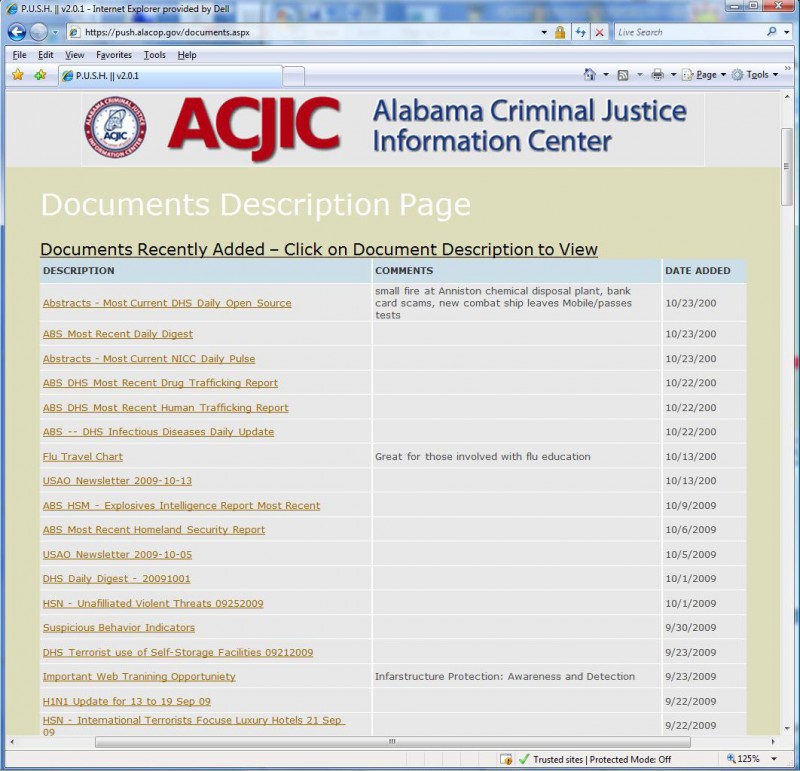
This list is updated daily and provides private sector security professionals with current information on terrorism, all crimes, and all hazards. All information can be accessed by clicking on the title line of the line item. Clicking on the red bar at the bottom of the screen leads to the PUSH welcome screen, shown below.
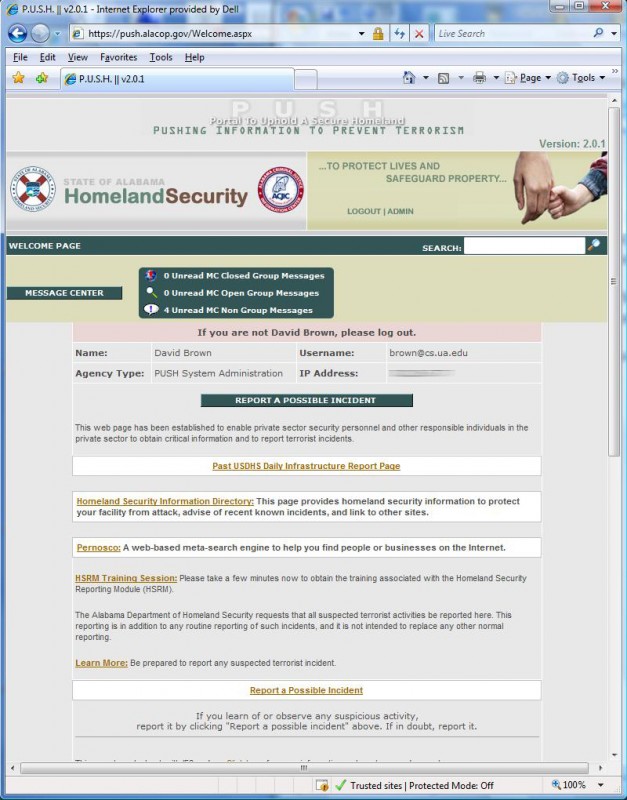
The PUSH message center accessed via this screen. It functions just as the SHARE/AlaCOP message center except that the PUSH message center is limited to PUSH members. Generally, PUSH members do not have the law enforcement credentials to be able to access much of the information on AlaCOP and in SHARE. Under special circumstances private sector security personnel could be given access to the SHARE/AlaCOP message center to contribute to special investigations.

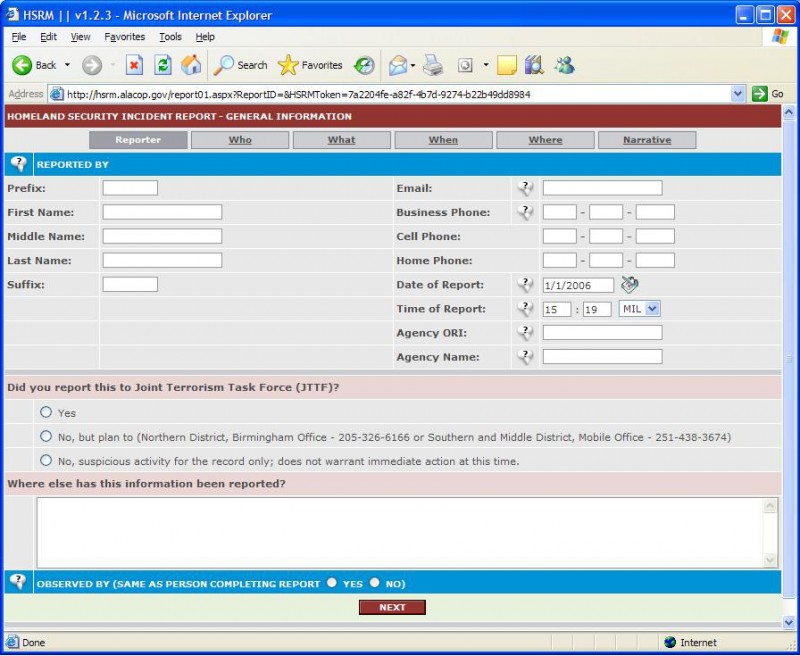
While providing information to private sector security personnel is an important function of PUSH, its primary function is to provide a mechanism by which they can submit formal terrorist incident reports to the Fusion Center. When either of the “Report a possible incident” buttons is clicked, the same standard SAR form is accessed. The first page of this form is shown below.
SHARE

  • March 19th, 2014
  • in

About

The Secure Homeland Access and Reporting Environment (SHARE) is a web portal developed to establish the critical missing link between State/Federal homeland security officials and field officers (Field officers are defined within this context to be all federal, state, local agency and private sector security officers who may be in situations where they might observe terrorist activity). The state’s Fusion Center is a group of analysts that have been established within the Alabama Department of Public Safety who are responsible for awareness and prevention of not only terrorist activities, but also all major related criminal activities. Once major crimes or terrorist activities are in process, the Fusion Center takes on the responsibilities of assisting in response, protection and recovery.

SHARE was developed with support of the US Department of Homeland Security (USDHS) for the Information Technology Evaluation Program (ITEP). It was one of only 12 nationally funded proposals and served as a prototype for all subsequent Suspicious Activity Reporting (SAR) systems.

While SHARE is strictly for interactions between law enforcement and the state’s Fusion Center, a companion portal, Portal to Uphold a Secure Homeland (PUSH), was also developed under this project to support private sector security personnel who oversee critical infrastructure.

A SHARE Senario

  • A law enforcement officer (perhaps acting on a tip from a citizen) encounters suspicious activity on the part of potential perpetrators. At this point no proof of criminal or terrorist activity is needed to set the process in motion.
  • The law enforcement officer opens the AlaCOP portal to access the SARS button within the Homeland Security section of the portal.
  • By clicking the SAR button, officer accesses a reporting mechanism that will call for a simple report to be completed and submitted.
  • The submitted SAR is sent directly to the Fusion Center where it will be entered into the SHARE system.
  • The SHARE system treats the SAR as a new case, giving a supervisor ability to:
    • Assign the SAR case to a Fusion Center analyst
    • Adjust the status code of the SAR
    • Close out/Archive the SAR case if there is insufficient grounds for continuing the investigation
  • All SARs are maintained for potential future reference
  • The Fusion Center analyst assigned to the case may:
    • Add information to the case
    • Make corrections to the SAR
    • Add displays (pictures, figures, files, etc.) to the case
    • Enlarge the investigation by involving other Fusion Center members and/or law enforcement officers via the SHARE Message Center

SHARE Message Center

  • Messages reside on a single secure server and data structures are used to determine which members of AlaCOP can view which messages. The message center is not e-mail and does not depend on e-mail.
  • Fusion center personnel have direct access to the message center through SHARE.
  • The message center facilitates the development of two types of groups (which can be created by any member):
    • Open Group: is announced to all members and allows anyone to join. The purpose is for open investigations in which all involved members can contribute information to the group.
    • Closed Group: for confidential investigations where the group leader wants full control of group members.
  • Messages sent to a group go to all members of that group.
  • Group members can easily “Reply To” a group once they receive a message from the group.

Screenshots

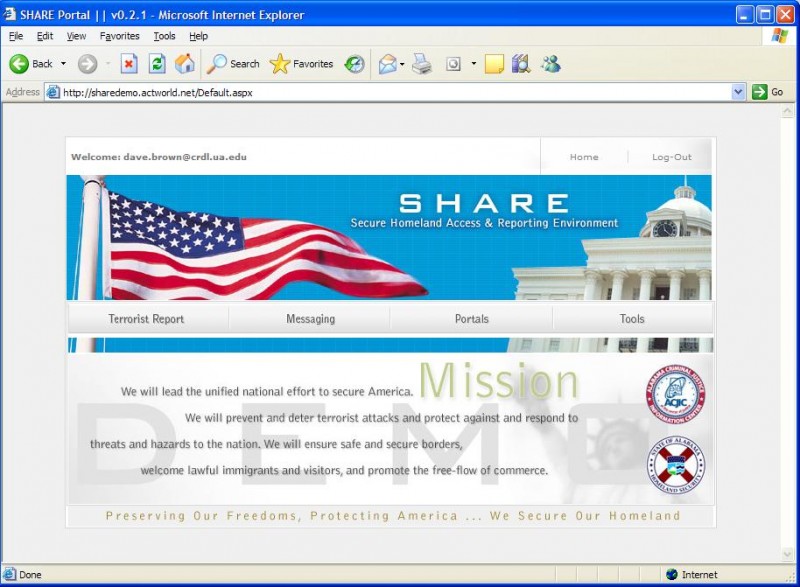
Below, note the four major tabs of the home page:

  • Terrorist Report: when a Suspicious Activity Report (SAR) is submitted via AlaCOP it will appear under this button, which provides access to the SAR case management system for the Fusion Center.
  • Messaging: this provides access to the message center, as described above.
  • Portals: this provides access to the large number of portals that have been set up by the federal government and other states that are to some extent comparable and parallel in mission to SHARE.
  • Tools: this is a set of search and other tools that have been set up for the Fusion Center personnel.

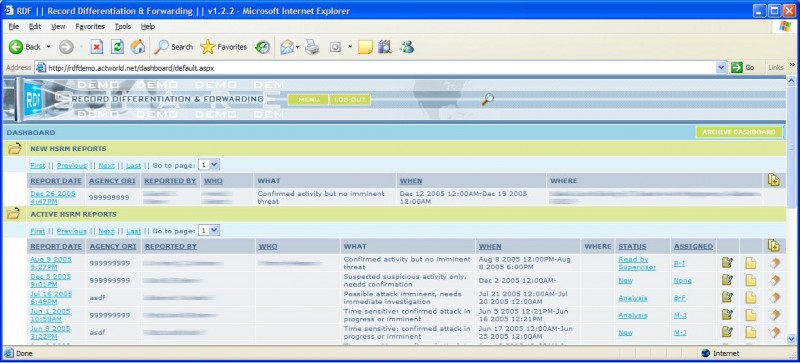
When a SAR comes in from the field SHARE will detect it and automatically generate a message to those Fusion Center members who are on call. Thus, no time elapses from the submission of the SAR until it is acted upon. The SAR itself goes into a case management system, the main screen of which is given below.

Notice that the new SAR is in a separate area at the top of the list. It will remain there until it is activated by a supervisor, which will include the assignment of the SAR to a Fusion Center investigator. A log is kept of all SAR case updates, and thus analysts can modify and update the SAR without fear of losing any information. All Fusion Center personnel have access to all SARS. The “Status” and Assigned” fields can only be modified by a Fusion Center supervisor.

AlaCOP

  • March 3rd, 2014
  • in

Alabama Communications and Operations Portal, the unique information system for law enforcement information within Alabama. AlaCOP is the umbrella system for a host of information and security systems, including the Active Directory Authentication and Processing Tool (ADAPT). These systems provide access for all law enforcement officers in Alabama to common information needed to conduct police business, and provide secure logon and user administration on a statewide basis – for all police agencies in the state. This work is in support of the Alabama Criminal Justice Information Center, which is a state leader for the promulgation of police technology along with the close collaboration of CAPS.

History

In the summer of 2006, the Alabama Criminal Justice Information Center (ACJIC) unveiled the Alabama Communications and Operations Portal (AlaCOP), the state’s official criminal justice information web portal for authorized law enforcement and criminal justice officers within Alabama. AlaCOP was developed by CAPS under a contract funded by a FY 2004 grant provided by the Alabama Department of Homeland Security, through the United States Department of Homeland Security.